Iron Man helmet
Working from two photos, you sketch the curves and sweep them into the shape of the helmet.
-
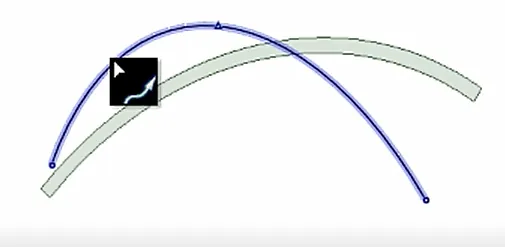
1You sketch the helmet’s curve
-
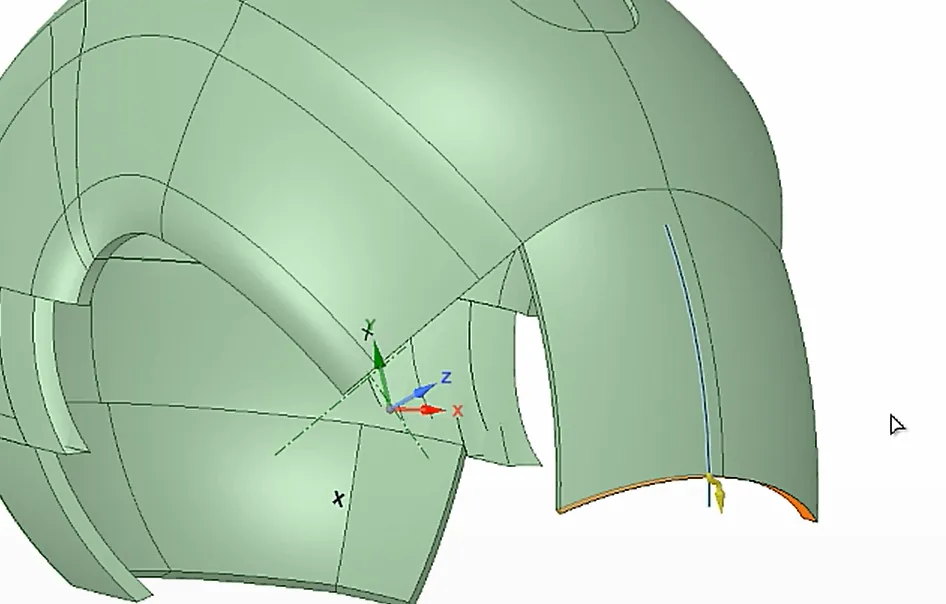
2You sweep sketches into the next parts
-
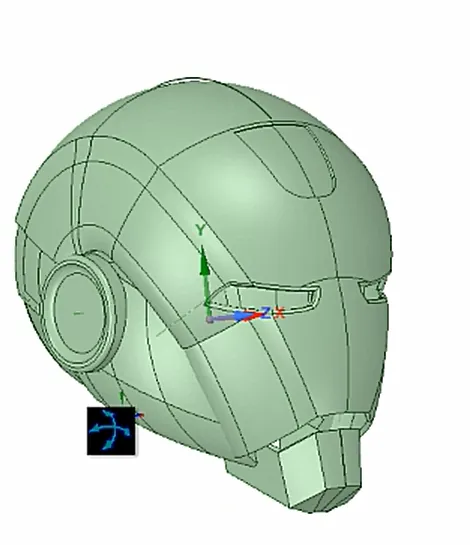
3Finished model
A Minecraft-style castle, the Eiffel Tower, a vehicle of your own. On this path your child learns 3D design from scratch — and we print the best models and ship them home.
Minecraft® is a registered trademark of Mojang Studios / Microsoft, and Brawl Stars® of Supercell. Cybroskill classes are our own original programme, inspired by these games; they are not an official product and are not endorsed or sponsored by these companies.
Who it's for
For kids who draw, build with bricks or spend hours in building games — and want to create worlds of their own.
Age
Ages 8–15, projects matched to age and level
Plans
Available in the Explorer, Creator and Innovator plans — higher plans unlock more challenging project scenarios.
Price: coming soon
No theory for theory's sake. This path's programme is a list of projects of increasing difficulty — each one ends with something you can show.
Stage 1 · Start
You get to know a 3D modelling program and immediately build your first project from basic shapes — a keychain or a simple figurine.
Stage 1 · Start
You model a figure out of block-like shapes: proportions, joining parts and your first details.
Stage 2 · Middle
A big build with towers, walls and a gate. You learn to work on a grid, copy elements and keep your project tidy.
Stage 2 · Middle
You model from photos of real objects — scale, proportions and the patience for detail.
Stage 2 · Middle
A car, a ship, or a vehicle nobody has invented yet. Bolder and bolder shapes and a style of your own.
Stage 3 · Advanced
Hinges, closing boxes and lifting photos into the third dimension — techniques adults will envy.
Minecraft® is a registered trademark of Mojang Studios / Microsoft, and Brawl Stars® of Supercell. Cybroskill classes are our own original programme, inspired by these games; they are not an official product and are not endorsed or sponsored by these companies.
Example projects from our scenarios: from a flat sketch, through the next stages, to a finished solid.
Working from two photos, you sketch the curves and sweep them into the shape of the helmet.
1You sketch the helmet’s curve
2You sweep sketches into the next parts
3Finished model
A helix on a cylinder becomes the propeller, followed by the housing, base and legs.
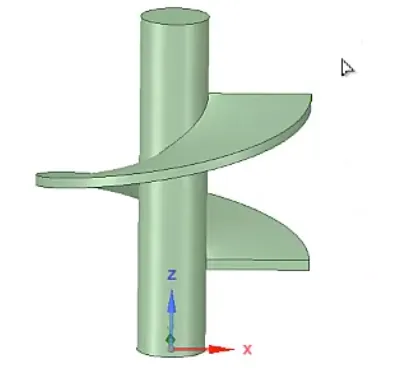
1You create a helix on a cylinder
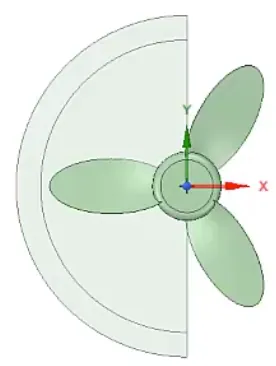
2You repeat the blades in a circular pattern
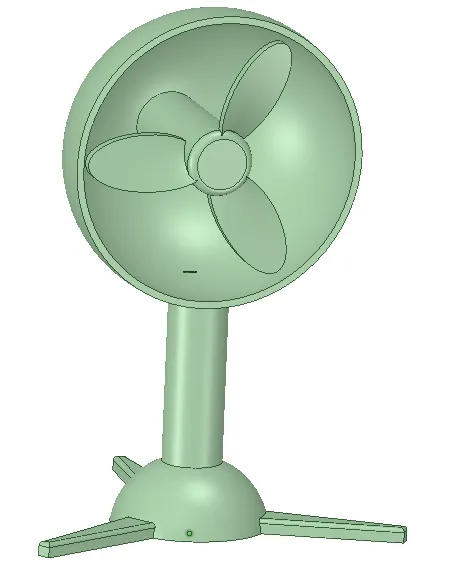
3Finished model
You build the back support, the front stop and an openwork base.
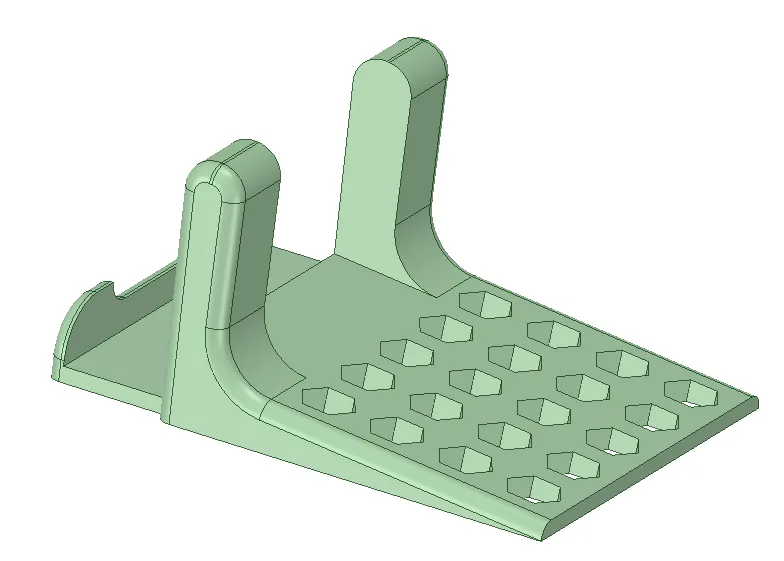
Finished model
Minecraft® is a registered trademark of Mojang Studios / Microsoft, Brawl Stars® of Supercell, and Marvel® and Iron Man® of Marvel Characters, Inc. The projects shown are original 3D modelling exercises from Cybroskill scenarios, inspired by these worlds; they are not an official product and are not endorsed or sponsored by these companies.
School IT rarely goes beyond documents and slideshows. Here your child learns the tools real products are designed in.
A tutorial shows one model. A mentor teaches design thinking — so your child can later model their own idea, not just copy someone else’s.
Modelling needs individual feedback: a 1-on-1 mentor watches your child’s project as it grows and guides with questions, not ready-made answers.
For parents
3D modelling is geometry in practice: proportions, scale and solids stop being textbook abstractions. Your child develops creativity, spatial imagination and the ability to carry long projects through to the end.
Your child designs their first 3D model for free in about 20 minutes. Questions about this path? Write to us.
Prefer learning at your own pace? This path may also be available as a digital course — take a look at our shop.