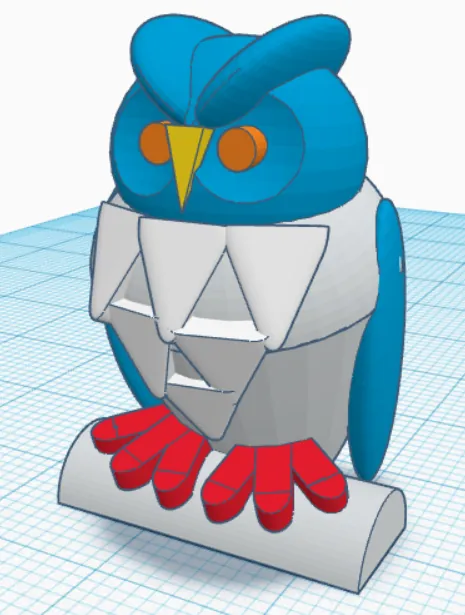

Owl
You build the body from basic shapes, cut out the eyes and add feathers.
For students · ages 8–15
No boring lectures here. You pick a project and a mentor helps you build it — step by step, until you can hold it in your hand.
students started their first projects here
project paths to choose from
years of IT experience behind Cybroskill’s founder
The problem
IT at school means Paint and Word — and you want to build your own worlds, not spreadsheets. You try internet tutorials, but they cut off halfway or suddenly stop working.
And the worst part: when you get stuck, there’s nobody to ask. Your parents don’t know 3D modelling, and your classmate knows exactly as much as you do. The idea ends up in a drawer.
“I started a tutorial, halfway through something stopped working… and I didn’t know what to do next.”
And the clock is ticking
Right now, somewhere, someone your age is printing their first figurine or programming a robot. The only difference? Someone showed them how to start.
Every unfinished idea chips away at the belief that the next one will work out. And your ideas are good — all that was missing was a plan.
Kids at Cybroskill are printing figurines, building 3D castles and programming traffic lights. You can too — seriously.
School will never set you a project worth showing off. And skills grow fastest when someone appreciates what you make.
The solution
Three steps — from your idea to a project standing on your desk.
Games? Robots? Buildings? You tell the mentor what you’re into, and together you choose the first project.
You work 1-on-1 online. When something doesn’t work, the mentor is right there — instead of dropping the project, you find the fix.
What you design, we 3D-print and ship to your door. You hold something you made yourself.
Hover over a tile or click to see more.
Click to flipTap to flip
Get to know 3D printers inside out: from a keychain to a movie-style helmet. You design, we print — you collect the parcel.
Learn moreClick to flipTap to flip
Build anything you can imagine in 3D: a Minecraft-style castle, the Eiffel Tower or your own vehicle. From sketch to finished model.
Learn moreClick to flipTap to flip
Bring real objects into the computer — you can make a 3D model even from an ordinary photo. A bit like magic, except it’s technology.
Learn moreClick to flipTap to flip
Build a traffic light, hook up sensors, and finally program your own SMARS robot. Real electronics, not a simulation.
Learn moreClick to flipTap to flip
Learn to talk to AI so it does what you want: helps with projects, learning and creating — without thinking for you.
Learn moreClick to flipTap to flip
Shortcuts, tricks and tools that make the computer listen to you — not the other way round. Become the one who “knows computers”.
Learn moreMinecraft® is a registered trademark of Mojang Studios / Microsoft, and Brawl Stars® of Supercell. Cybroskill classes are our own original programme, inspired by these games; they are not an official product and are not endorsed or sponsored by these companies.
Everyone starts with small projects. See how far you can go.
Stage 1 · Start
A keychain with your name, a Minecraft-inspired figurine or sword, a car keychain. Simple projects you’ll hold in your hands in no time.
Stage 2 · Picking up speed
Castles, Brawl Stars-inspired figurines, the Eiffel Tower, vehicles of your own. Projects you’ll show off on Discord.
Stage 3 · Master level
An Ironman-inspired helmet, projects with moving parts — hinges, closing boxes — and turning a photo into a 3D model.
Minecraft® is a registered trademark of Mojang Studios / Microsoft, and Brawl Stars® of Supercell. Cybroskill classes are our own original programme, inspired by these games; they are not an official product and are not endorsed or sponsored by these companies.
Examples of projects from our library
You build the body from basic shapes, cut out the eyes and add feathers.
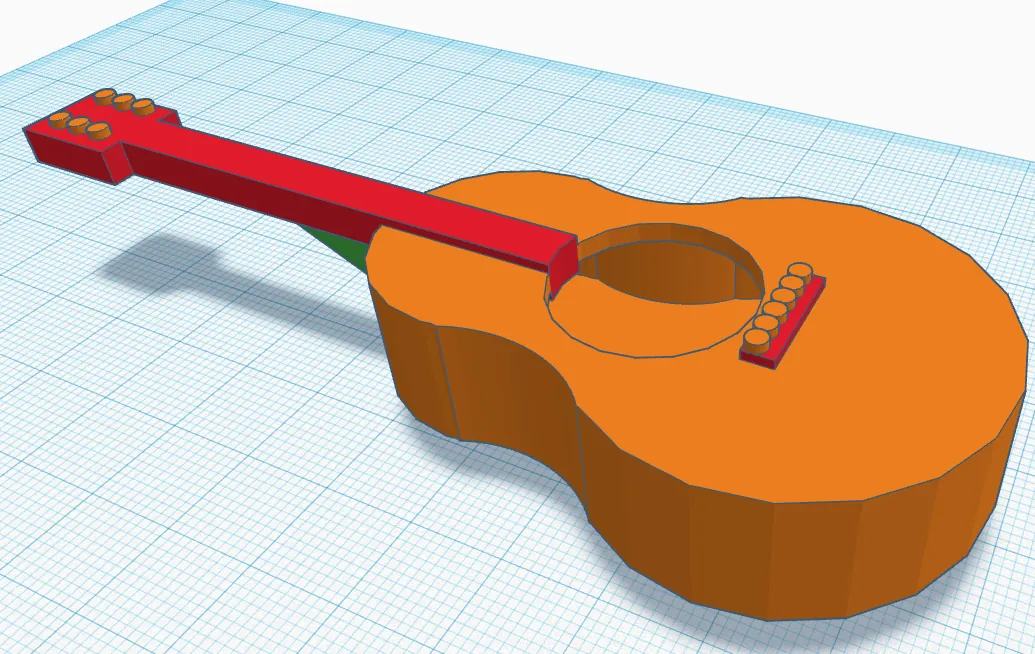

You model the body, neck and details of a miniature instrument.
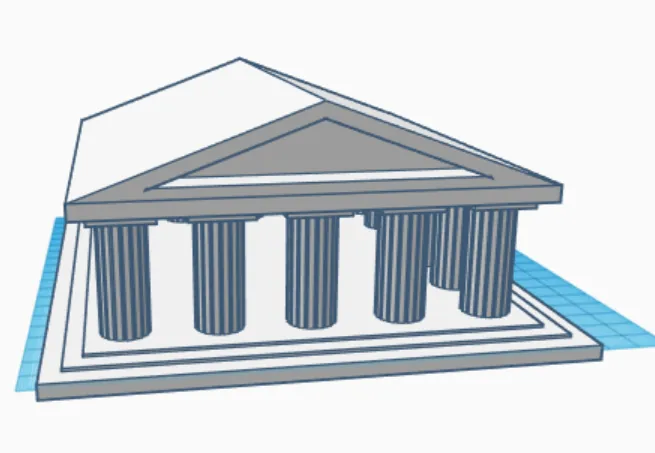

From a single column you lay out the temple, then add the base and the roof.
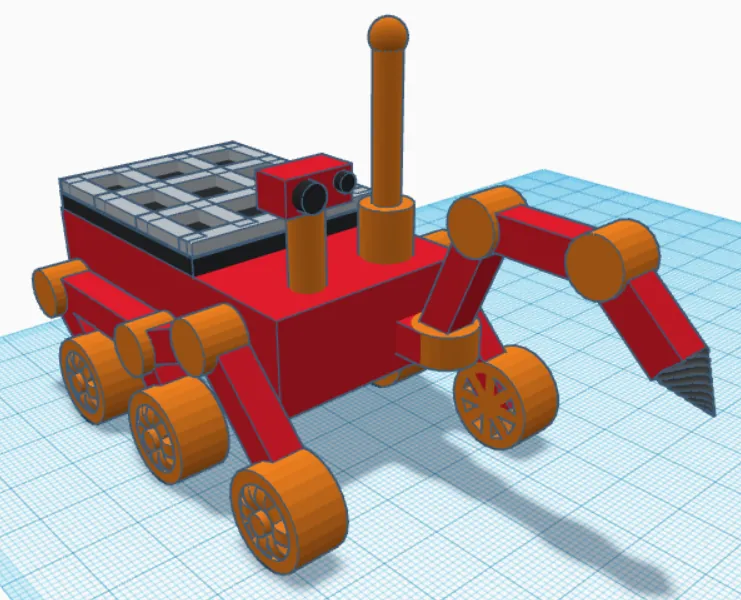
You build the chassis, the arm and the vehicle’s equipment.
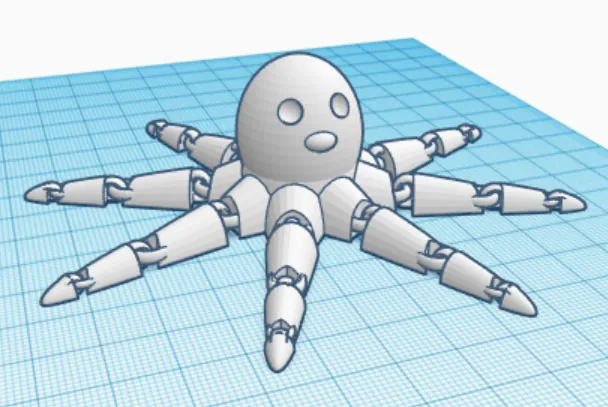

You design the links that join the tentacle parts and duplicate the finished segment.
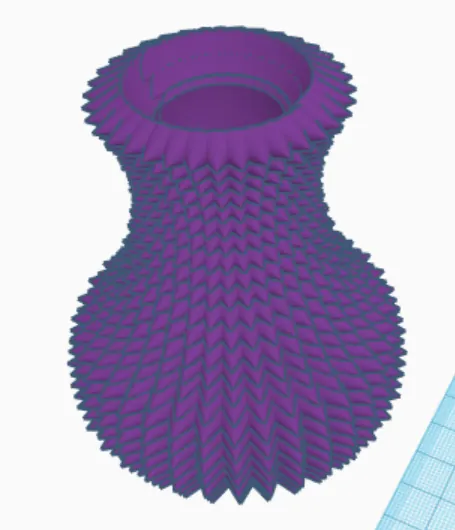
You build a profile from repeated shapes and close it in a circular pattern.
On our Discord you show off your work on the #chwalę-się-projektem channel, get help when you’re stuck and enter competitions — like 3D Edu Art. Your projects finally have an audience. The Cybroskillers Discord is for students aged 13+.
Make your first project — free, in 20 minutes. And if it’s your parents who decide — send them this page, we’ll explain the rest to them ourselves.