Visible results
You want to see what your child has learned — not just hear that the class was fun.
The computer already has their attention. You’re looking for an activity that puts this curiosity to use and leaves behind more than another video watched.
You want to see what your child has learned — not just hear that the class was fun.
You want the topic to spark your child’s interest — without talking them into yet another obligation.
You don’t want to learn 3D design yourself just to explain every lesson.
You’d rather find out whether your child enjoys creating before you buy a printer.
Two ways to learn. One goal: a project of their own.
Project → Mentor → Reflection. Cybroskill’s own methodology means your child doesn’t passively watch lectures — they create, and the mentor makes sure every project that gets started gets finished.
From the very first lesson your child builds something of their own — no lecture-watching. Every project ends with something you can show: a 3D print on the desk, a working program, their own robot.
Click to flipTap to flip
How does the Project work in PMR?
A mentor is a “witness to growth”: they don’t lecture, they lead with questions. Your child reaches solutions on their own, so confidence grows — and when they get stuck, the mentor is right there, so learning never ends in giving up.
Click to flipTap to flip
How does the Mentor help?
After every project your child puts into words what they learned and what they’ll do better next time. We treat mistakes as data in the learning process, not failures — that’s how independence and the courage for harder challenges are built.
Click to flipTap to flip
Why is Reflection key?
If you choose the self-paced package, your child follows the instructions and works at their own pace. This option does not include sessions with a mentor.
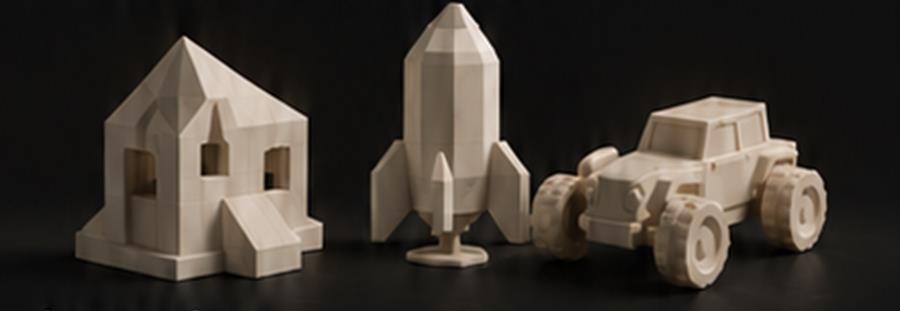
See example models from our project scenarios and their physical prints. For each one we show what you practise while designing it.
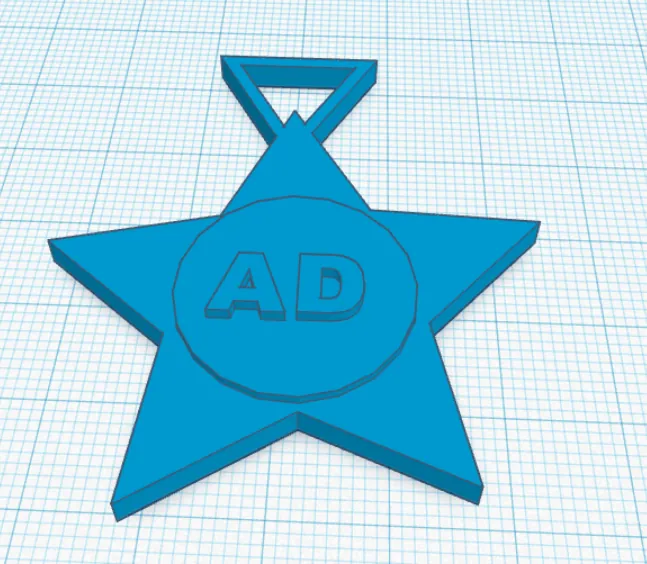

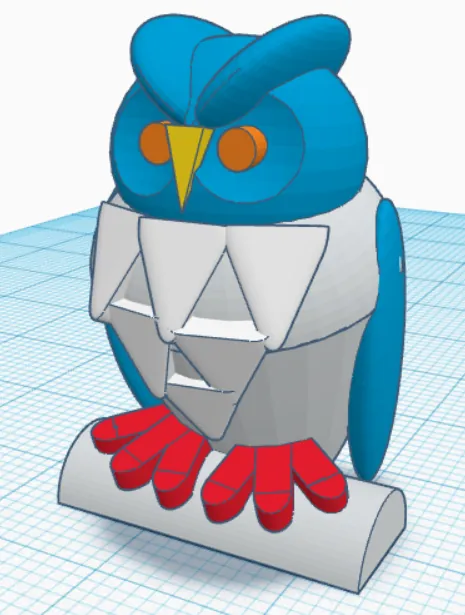

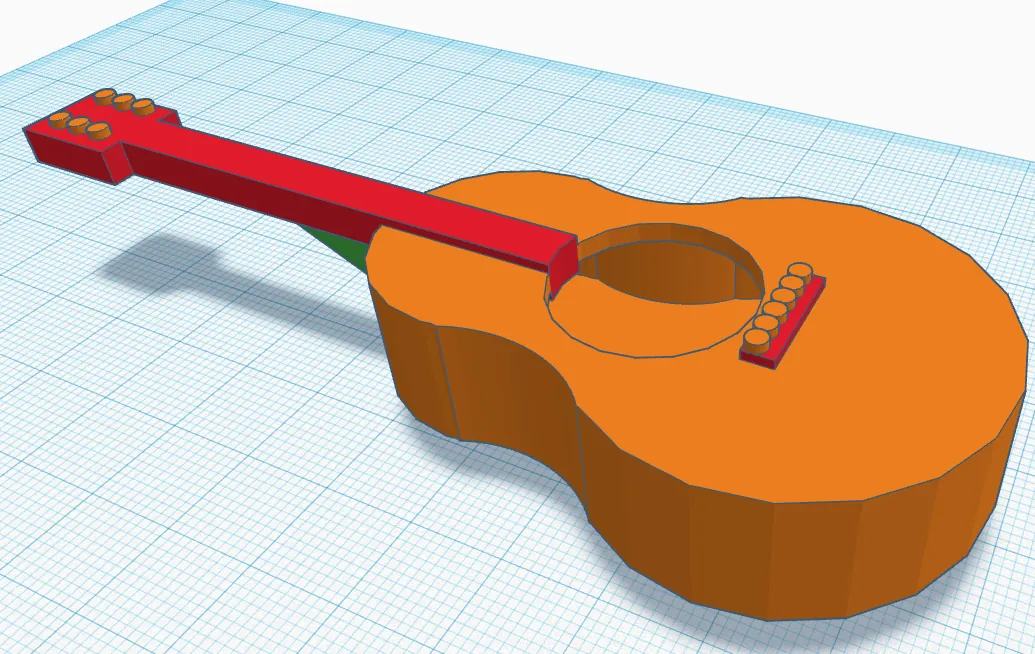

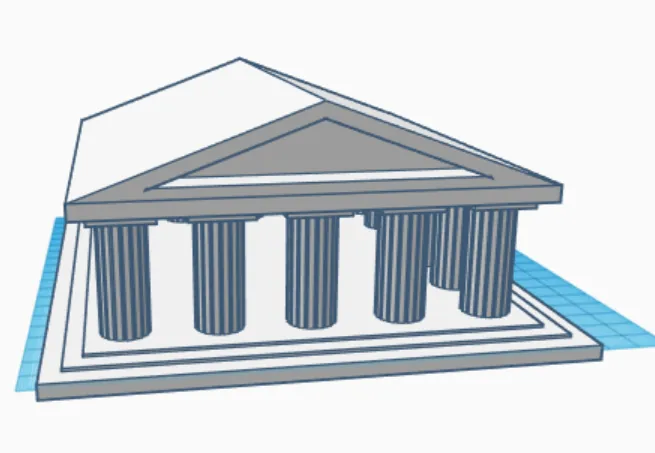

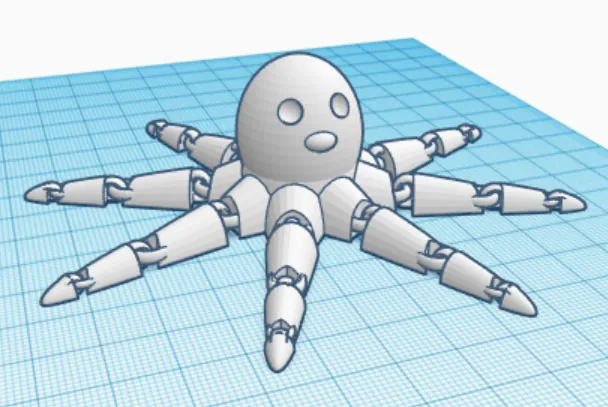

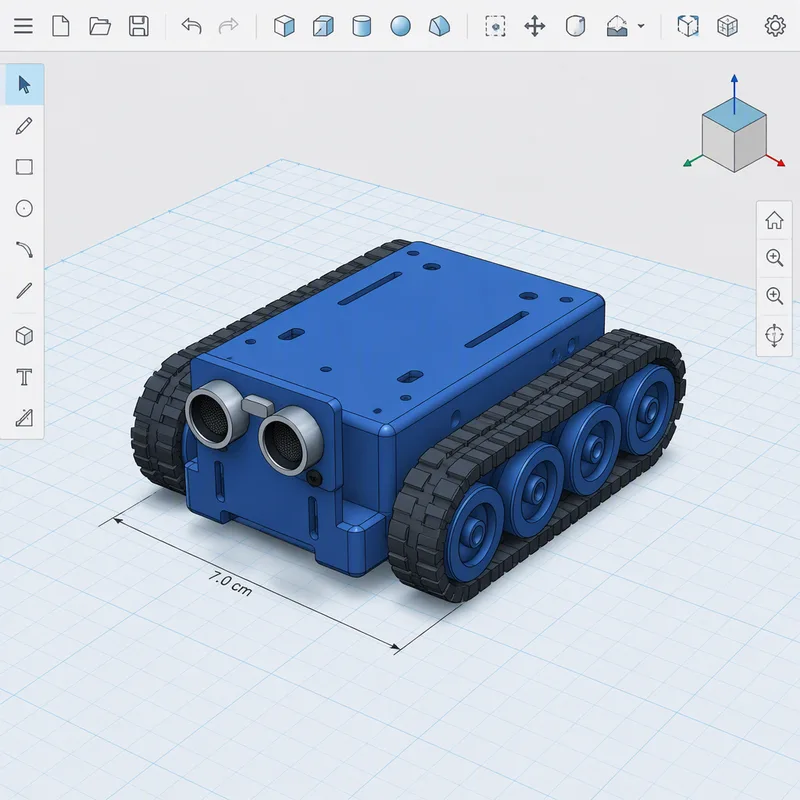

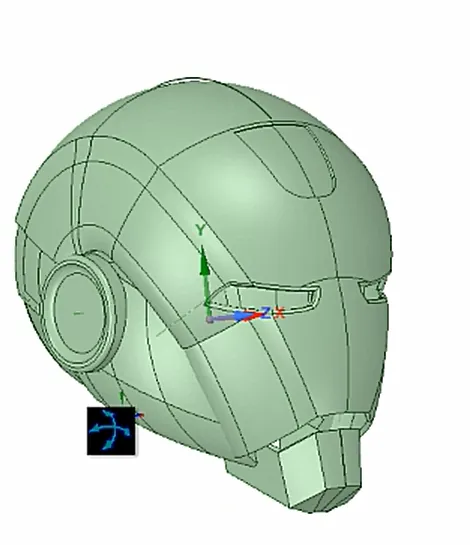

Miłosz G. · Iron Man helmet with an LED
Minecraft® is a registered trademark of Mojang Studios / Microsoft, Brawl Stars® of Supercell, and Marvel® and Iron Man® of Marvel Characters, Inc. The projects shown are original 3D modelling exercises from Cybroskill scenarios, inspired by these worlds; they are not an official product and are not endorsed or sponsored by these companies.
Short recordings from our classes. We publish them only with the parents’ consent.


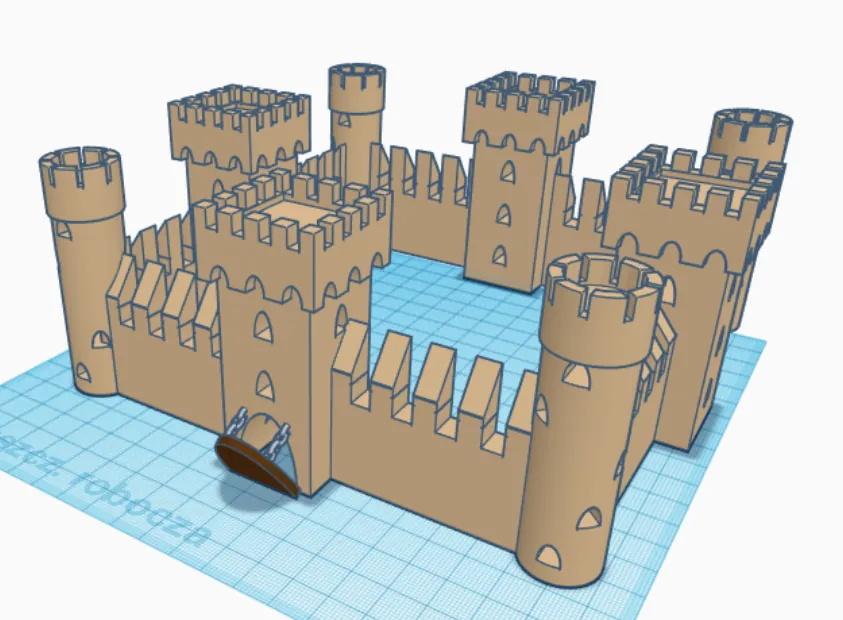

You build a castle from towers and walls, then learn to bring the project into the game.
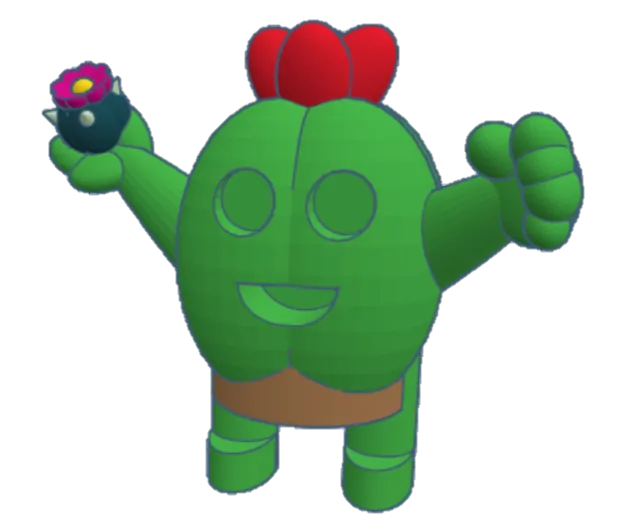
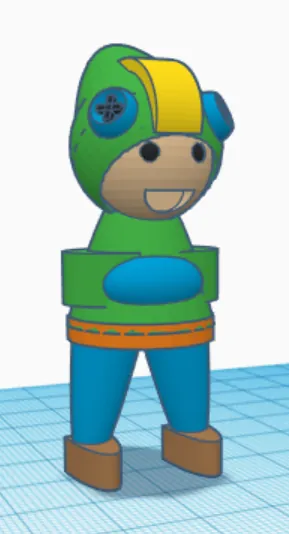
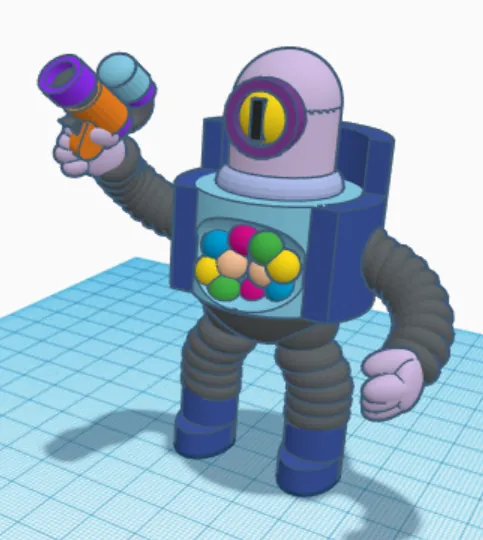
You put together three characters from the game out of simple shapes.
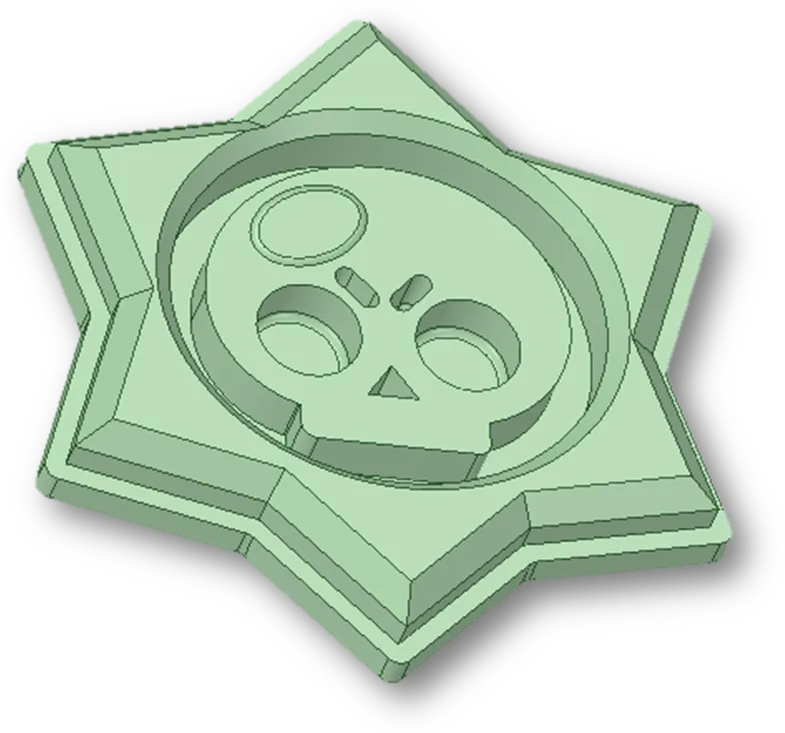
You trace the graphic and give it thickness.
Minecraft® is a registered trademark of Mojang Studios / Microsoft, Brawl Stars® of Supercell, and Marvel® and Iron Man® of Marvel Characters, Inc. The projects shown are original 3D modelling exercises from Cybroskill scenarios, inspired by these worlds; they are not an official product and are not endorsed or sponsored by these companies.
They’re the ones who turn your child’s dream projects into reality

An electronics engineer with over 12 years in IT. He has trained close to 200 students, including winners of prestigious competitions, and equipped 15+ schools under the Polish “Laboratories of the Future” programme. He specialises in combining 3D printing with other technologies.
Author of the Project – Mentor – Reflection methodology. Mentoring in Polish, English or German.
Find your mentorYou teach, inspire, create? See what being a Cybroskill mentor looks like and apply.
Become a mentorWhat they value about the classes — in their own words. We publish the recordings only with the parents’ consent.
Jakub: Nikodem, chodzisz już dosyć długo na zajęcia. Czy pamiętasz, co cię skłoniło, żeby zapisać się na nie?
Nikodem: Zawsze lubiłem te… zawsze mi się podobało takie modelowanie i IT.
Jakub: Ok. W ciągu tylu miesięcy i lat, można powiedzieć, który z tych projektów, które robiłeś na zajęciach, który najbardziej ci się spodobał?
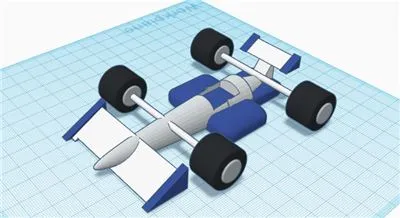
Nikodem: Bolid Formuły 1.
Jakub: A czego nauczyłeś się na tych zajęciach?
Nikodem: Obsługi drukarki na pewno, wymiany filamentów w drukarce i tak dalej. Obsługi trzech programów. I obsługi szlifierki właśnie.
Jakub: Bardzo dobrze ci wychodzą prace manualne, jak składanie modeli i różnych rzeczy. Oprócz konstruowania i modelowania na komputerach, co jeszcze lubisz na zajęciach robić? Podobają ci się te prace z montowaniem, z czyszczeniem modeli?
Nikodem: Mi się podobają.
Jakub: A czym się różnią nasze zajęcia od tego, co robisz na co dzień w szkole?
Nikodem: Są praktyczne, nie ma żadnych teorii. I po prostu szybciej przyswajam wiedzę tutaj.
Jakub: A czy są jakieś ciekawostki? Bo mówisz, że nie ma teorii, ale czasami może…
Nikodem: Czasami są jakieś ciekawostki na przykład. Ostatnio poznawaliśmy Arduino i podobało mi się to właśnie.
Jakub: Czy poleciłbyś znajomemu zapisanie się na te zajęcia?
Nikodem: A już to zrobiłem.
Jakub: A, zrobiłeś, super. No to dzięki.
Jakub: Nikodem, you’ve been coming to the classes for quite a long time. Do you remember what made you sign up?
Nikodem: I’ve always liked… I’ve always liked this kind of modelling and IT.
Jakub: OK. Over all these months and, you could say, years — which of the projects you did in class did you like the most?
Nikodem: A Formula 1 car.
Jakub: And what have you learned in these classes?
Nikodem: Using the printer for sure, changing filaments in the printer and so on. Using three programs. And using the grinder, too.
Jakub: You’re very good at manual work, like assembling models and various things. Apart from designing and modelling on computers, what else do you like doing in class? Do you like the assembling and cleaning up of models?
Nikodem: I like them.
Jakub: And how are our classes different from what you do every day at school?
Nikodem: They’re practical, there’s no theory. And I simply take in knowledge faster here.
Jakub: And are there any fun facts? Because you say there’s no theory, but sometimes maybe…
Nikodem: Sometimes there are some fun facts, for example. Recently we got to know Arduino and I really liked that.
Jakub: Would you recommend these classes to a friend?
Nikodem: I already have.
Jakub: Oh, you have — great. Well, thanks.
(translated)
Jakub: Kacper, co cię skłoniło do zapisu na zajęcia?
Kacper: Bo mi się nudziło.
Jakub: A który z projektów, które dotychczas robiłeś, jest twoim ulubionym?
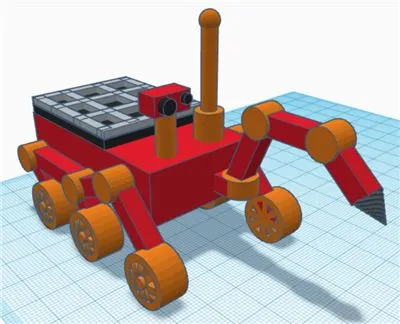
Kacper: Łazik kosmiczny.
Jakub: A czego dotychczas nauczyłeś się na zajęciach?
Kacper: Lepiej modelować.
Jakub: A obsługiwać drukarkę?
Kacper: Też.
Jakub: Co wolisz?
Kacper: Modelować.
Jakub: A czym się różnią nasze zajęcia od tego, co robisz w szkole? Robisz coś praktycznego czy uczysz się z książek?
Kacper: Robię coś praktycznego.
Jakub: No i na przykład? Jakie rzeczy udało ci się zrobić?
Kacper: Nauczyć modelować i obsługiwać drukarkę.
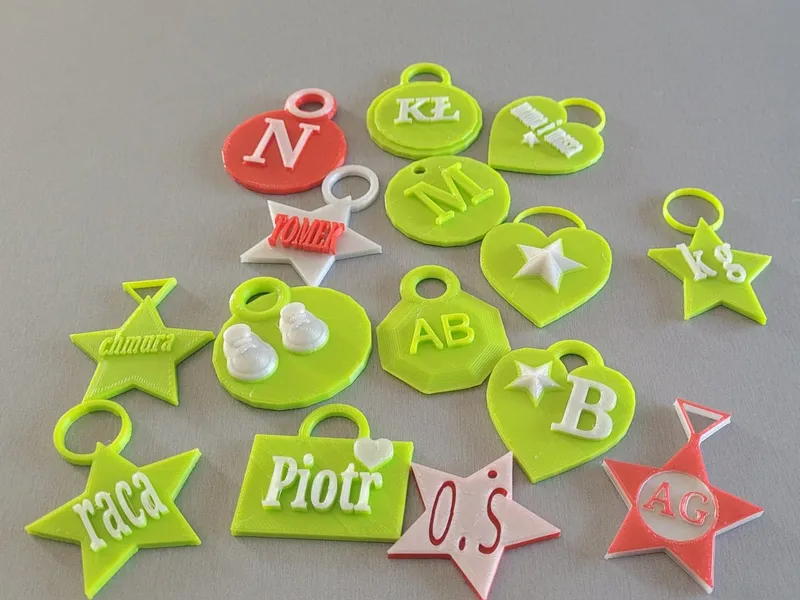
Jakub: I jak przychodziłeś na samym początku, to ten pierwszy projekt breloczka był dla ciebie trudny czy nietrudny?
Kacper: Nie.
Jakub: Ale zeszło ci z nim dosyć długo, prawda?
Kacper: No, chwilę mi zeszło
Jakub: Na pewno zeszło ci tyle samo co z Łazikiem, który jest dużo bardziej skomplikowany, tak?
Kacper: Tak.
Jakub: Czyli wydaje ci się, że poczyniłeś postępy?
Kacper: Tak.
Jakub: No to czy poleciłbyś te zajęcia na przykład znajomemu, żeby się do nas zapisał?
Kacper: Tak.
Jakub: Kacper, what made you sign up for the classes?
Kacper: Because I was bored.
Jakub: And which of the projects you’ve done so far is your favourite?
Kacper: The space rover.
Jakub: And what have you learned in class so far?
Kacper: To model better.
Jakub: And to use the printer?
Kacper: That too.
Jakub: Which do you prefer?
Kacper: Modelling.
Jakub: And how are our classes different from what you do at school? Do you make something practical or learn from books?
Kacper: I make something practical.
Jakub: For example? What have you managed to do?
Kacper: Learn to model and use the printer.
Jakub: And when you first came, was that first keychain project hard for you or not?
Kacper: No.
Jakub: But it took you quite a while, right?
Kacper: Well, it took me a while
Jakub: It surely took you as long as the rover, which is much more complicated, right?
Kacper: Yes.
Jakub: So you feel you’ve made progress?
Kacper: Yes.
Jakub: So would you recommend these classes to a friend, for example, so they sign up with us?
Kacper: Yes.
(translated)
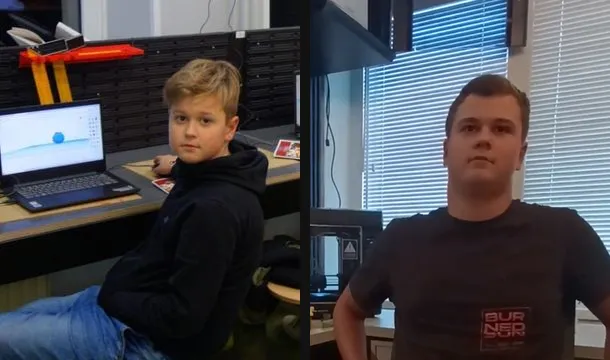
Jakub: Karol, jesteś już jednym z uczestników, którzy najdłużej chodzą do nas na zajęcia. Zaczynałeś jako taki mały gość, a dzisiaj jesteś wyższy ode mnie. Pamiętasz w ogóle, co cię skłoniło do tego, żeby przyjść i zapisać się na nasze zajęcia?
Karol: Hmm, bo dawno to było. Nie wiem, po prostu chciałem spróbować, nie?
Jakub: A który z projektów, które robiłeś dotychczas, jest twoim ulubionym?
Karol: Ciężko określić.
Jakub: Ciężko, a zrobiłeś dużo rzeczy, które wychodziły poza scenariusze. To może powiedz, co najczęściej projektujesz?
Karol: No najczęściej projektuję rzeczy typu czołgi, samoloty, tego typu rzeczy.
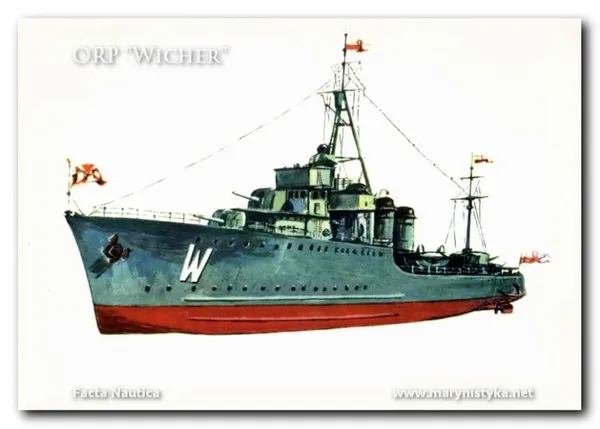
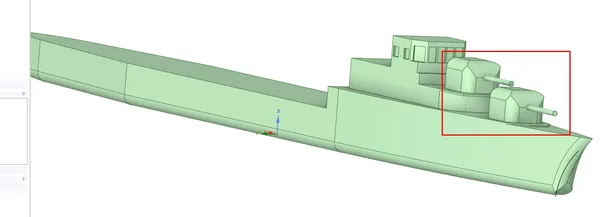
Jakub: Mieliśmy też i polskie modele, z tego co pamiętam. Okręt, kojarzysz, który był?
Karol: Był okręt ORP Błyskawica.
Jakub: Wicher?
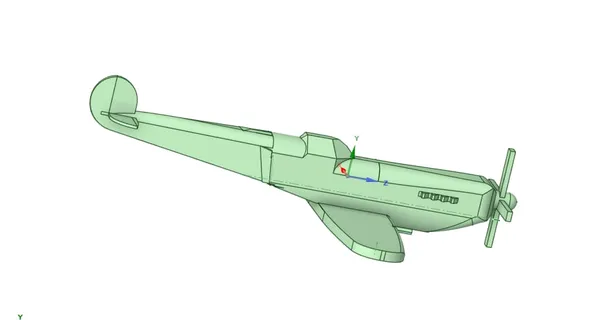
Karol: Wicher też był. Teraz właśnie projektuję też polski samolot.
Jakub: Co to za samolot? Bo z tego, co kojarzę, to on jest chyba związany z twoją miejscowością?
Karol: Tak, z Tuchowem. TS-8, PZL TS-8, czyli polski samolot szkoleniowy. Jeden z polskich pilotów dał jeden z tych samolotów mieszkańcom Tuchowa. Niestety ten samolot w roku 1998 zniknął.
Jakub: Rozumiem, że próbujesz go w takim razie odtworzyć?
Karol: Tak, jako fragment też będę próbował go włączyć do akcji o nazwie „Samolot zawsze tu był”.
Jakub: Co to za akcja?
Karol: Akcja mieszkańców Tuchowa, głównie na Facebooku. Chodzi o to, aby znaleźć ten samolot i sprowadzić go z powrotem na swoje miejsce.
Jakub: Jakie są dalsze plany? Czy to będzie tylko model, czy planujesz go wprawić w ruch?
Karol: Jak się uda, to może będzie latał.
Jakub: Czyli tu pewnie Arduino albo inna płytka?
Karol: No tak, Arduino.
Jakub: Przechodząc dalej: czym się różnią zajęcia, w których uczestniczysz, od tego, co robisz w szkole?
Karol: Na pewno jest lepsza atmosfera niż w szkole, bo wiadomo, jak jest w szkole. Na pewno jest mniej osób.
Jakub: A z praktycznych rzeczy uważasz, że to są zajęcia, które mogą się przydać w przyszłości?
Karol: Myślę, że tak, pod względem umiejętności, jakie można na nich nabyć.
Jakub: No i czy poleciłbyś uczestnictwo w zajęciach jakiemuś swojemu znajomemu?
Karol: Tak, wiele razy to robiłem.
Jakub: Karol, you’re one of the participants who have been coming to our classes the longest. You started as a little guy, and today you’re taller than me. Do you even remember what made you come and sign up for our classes?
Karol: Hmm, it was a long time ago. I don’t know, I just wanted to give it a try, you know?
Jakub: And which of the projects you’ve done so far is your favourite?
Karol: Hard to say.
Jakub: Hard — and you’ve made lots of things that went beyond the lesson plans. So maybe tell us what you design most often?
Karol: Well, most often I design things like tanks, planes, that kind of thing.
Jakub: We also had Polish models, as far as I remember. A ship — do you remember which one?
Karol: There was the ship ORP Błyskawica.
Jakub: Wicher?
Karol: Wicher too. Right now I’m also designing a Polish plane.
Jakub: What plane is it? Because as far as I know, it’s connected with your town?
Karol: Yes, with Tuchów. The TS-8, PZL TS-8, a Polish training aircraft. One of the Polish pilots gave one of these planes to the people of Tuchów. Unfortunately, the plane disappeared in 1998.
Jakub: So I take it you’re trying to recreate it?
Karol: Yes, I’ll also try to include it as part of a campaign called “The plane has always been here”.
Jakub: What campaign is that?
Karol: A campaign by the people of Tuchów, mainly on Facebook. The idea is to find the plane and bring it back to its place.
Jakub: What are the next plans? Will it be just a model, or are you planning to make it move?
Karol: If it works out, maybe it will fly.
Jakub: So probably Arduino or another board here?
Karol: Well yes, Arduino.
Jakub: Moving on: how are the classes you attend different from what you do at school?
Karol: The atmosphere is definitely better than at school, because you know what school is like. There are definitely fewer people.
Jakub: And practically speaking, do you think these classes can be useful in the future?
Karol: I think so, in terms of the skills you can gain there.
Jakub: And would you recommend taking part in the classes to a friend of yours?
Karol: Yes, I’ve done it many times.
(translated)
Real reviews from Google and Facebook.

„Najlepsze miejsce żeby uczyć dzieci nauki modelowania”
The best place for kids to learn modelling (translated)

„Witam i polecam. Syn chodzi na zajęcia i robi postępy. Chodzi chętnie”
Hello, and I recommend it. My son goes to the classes and is making progress. He’s happy to go (translated)

„profesjonalne podejście, miła atmosfera, pełna satysfakcja”
professional approach, nice atmosphere, fully satisfied (translated)

„Super było! Polecam 😊”
It was great! I recommend it 😊 (translated)

„było super. Solidna firma wow 😊”
it was great. A solid company wow 😊 (translated)

„Polecam! 😃”
I recommend it! 😃 (translated)

„Polecam! Solidna firma!! 😃”
I recommend it! A solid company!! 😃 (translated)
Reviews quoted in the original Polish, with a translation below.
Handwritten notes from our students — photos of the originals.

„Lubię chodzić na te zajęcia ponieważ moge rozwijać swój umysł i uczyć się tworzenia projektów bardzo mi się podobaja Zajęcia i fajnie jest coś stworzyć.”
I like going to these classes because I can develop my mind and learn how to create projects. I really like the classes and it’s fun to make something. (translated)
— Franek A. 12 lat

„Lubię chodzić na te zajęcia ponieważ rozwijam swoją wiedze i pasje. Atmosfera jest fajna i fajnie się pracuję.”
I like going to these classes because I develop my knowledge and my passions. The atmosphere is great and it’s fun to work. (translated)
— Seweryn B. 12 lat

„poznałem mega dużo spoko osób, nauczyłem się tam projektować w 2 różnych programach a na zajęciach jest miła atmosfera”
I met loads of cool people, I learned to design in 2 different programs there, and the classes have a nice atmosphere (translated)
— Nikodem N, (Biskup), 13

„Lubie chodzić Na te zajęcia ponieważ na zajęciach jest miła atmosfera ale też udoskonalam moje umiejętności.”
I like going to these classes because there’s a nice atmosphere, and I also improve my skills. (translated)
— Franek P, 14

„Miła atmosfera, można się dużo nauczyć z projektowania i druku 3D”
Nice atmosphere, you can learn a lot about designing and 3D printing (translated)
— KAROL D. - 15 lat.

„Zajęcia mają, miłą atmosfere oraz ucze się jak naprawić np. zepsuty haczyk na klucze lub łyżke do butów”
The classes have a nice atmosphere and I learn how to fix things, e.g. a broken key hook or a shoehorn (translated)
— MKKFW - 14 lat

„Lubie drukować na drukarce 3D i mój ulubiony projekt to młot thora”
I like printing on the 3D printer and my favourite project is Thor’s hammer (translated)
— Mikołaj M, 13

„Lubię robić projekty W 3d, Mój ulubiony projekt to logo Rivals”
I like making projects in 3D. My favourite project is the Rivals logo (translated)
— Kacper W, 9 lat

„Rozmawiać o czymś ciekawym. Lubię projektować czołgi i modele wojskowe.”
Talking about something interesting. I like designing tanks and military models. (translated)
— Mikołaj B, 10

„Lubie atmosferę na zajęciach bo każdy jest miły. Moim ulubionym projektem jest pionek z gry gambling with your friends”
I like the atmosphere in the classes because everyone is nice. My favourite project is a game piece from the game gambling with your friends (translated)
— Jakub K. 12 lat

„jestem Kacper. D lubię projektować Muj ulubiony projekt to logo Avengers”
I’m Kacper D. I like designing. My favourite project is the Avengers logo (translated)
— Kacper. D

„Ulubiony scenariusz brawl stars Jestem mistrzem tinkercad”
Favourite lesson plan: Brawl Stars. I am a Tinkercad master (translated)
— Kajetan S, 9

„lubie robić projekty z ARDUINO Moj ulubiony Projekt to logo brawl stars”
I like making projects with ARDUINO. My favourite project is the Brawl Stars logo (translated)
— Szymon G. 11

„Lubie PRojektować ruzne projekty”
I like designing different projects (translated)
— Miłosz G. 8.
Students signed with their first name and initial or their Discord nickname — with consent. Below each photo: the note’s text as written, in Polish, with a translation.
Four Cybroskill students stood on the podium of the annual competition run by UMCS in Lublin. These weren’t lucky shots — they’re the result of regular work through the project method. Get to know their stories.

younger category
He designed a full set of chess pieces in Tinkercad — pairing his hobby with a new tool. In class, what he looked forward to most were the fun facts about what else 3D printing can be used for.

older category
Karol’s older brother. His „Lampka litofanowa — moja mała ojczyzna" (a lithophane lamp — ‘my little homeland’), designed in DesignSpark Mechanical, is a glowing lamp with lithophanes of his home town. He quickly moved beyond the standard path and pursued his own ideas with his mentor’s guidance — exactly how the PMR method works.

younger category
He started without his own computer at home — he lacked practice even with using a mouse. In his very first session he designed his first keychain and was hooked. Six months later he stood on the podium of the national 3D Edu Art competition.

older category
Awarded for a character from the game Brawl Stars. He also happens to be the founder’s younger brother — and proof that in this family, 3D printing runs in the blood.
Minecraft® is a registered trademark of Mojang Studios / Microsoft, and Brawl Stars® of Supercell. Cybroskill classes are our own original programme, inspired by these games; they are not an official product and are not endorsed or sponsored by these companies.
We know the equipment children learn on at school — under the Polish “Laboratories of the Future” programme we equipped school labs with 3D printers, VR headsets, 3D scanners, microcontrollers and programmable building blocks.
Nearly 200 students in regular classes, plus hundreds more at school workshops.
You don’t need to buy a 3D printer. You can choose to have your child’s projects printed and delivered to your home. On the monthly plan we print the four projects free of charge and ship them together — you only pay for delivery: $16 within the EU (option in the cart); for other countries, please contact us before ordering.
Delivery: Poland and the EU; other countries upon confirmation.
With a mentor who reviews every project — or independently, with a package built around one topic.
 A · Monthly payment
 B · Themed package
We deduct the cost of the package when you switch to mentoring. Prints for those without a printer are free — you only pay for delivery: $16 within the EU (option in the cart); for other countries, please contact us before ordering. Prices in USD.
From first curiosity to a model you can hold in your hand.
Fill in the short PathFinder survey.
Launch PathFinderWork with a 1-on-1 mentor or independently with a package.
Or start with a starter lesson if you’d like to try it first.
Receive the printed models by courier or send them to your own printer.
If your question isn’t here — write to us.
The offer is designed for children from age 8, mainly aged 8–15. To start, your child should be comfortable using a mouse. We match the project level to the student’s skills.
You don’t need your own 3D printer. We start with a computer with internet access and Tinkercad, which runs in the browser. Printing the project is available as an option. All you need is a device with internet access and an up-to-date web browser. Your child joins Tinkercad through the link to the class that we send.
You don’t need to know 3D design or teach the lessons. A parent’s help may be useful when connecting to the first session. In mentoring your child works with the mentor; with the self-paced package they follow instructions matched to their level.
Mentoring means four projects a month and two 1-on-1 sessions (2 × 60 min). The self-paced package contains four project scenarios around one topic and does not include mentor sessions. Choose mentoring if you want individual feedback on your child’s work; the package if your child wants to work with instructions at their own pace.
Yes — mentoring is planned in Polish, English and German. The PDF instructions are available in these three languages. Videos are currently in Polish, and screenshots in the translated PDFs show the Polish interface.
The community runs on Discord, supervised by moderators and mentors. The server is for students aged 13+. Clear, written rules apply: respect, zero hate, zero private data.
Learning doesn’t stop when the mentoring lesson ends. Cybroskillers is where your child’s projects get an audience.
On the “Cybroskillers” server students show off their projects, help each other and enter competitions (e.g. 3D Edu Art). All of it moderated by mentors and moderators.
A new project challenge every month — we print the winning project and ship it to its author.
Request a Discord invite (13+)
Articles on 3D printing, design and project-based learning — for parents and students. More articles are on the way.
Read the blog
A roundup of news from 3D printing, technology and education — selected for practical use. To get you started: a free lesson in which your child designs a keyring with their own name.
The button opens your email app with the sign-up message ready to send — we add your address to the list by hand. You can unsubscribe at any time.
Issue archive