Visible results
You want to see what your child has learned — not just hear that the class was fun.
The computer already has their attention. You’re looking for an activity that puts this curiosity to use and leaves behind more than another video watched.
You want to see what your child has learned — not just hear that the class was fun.
You want the topic to spark your child’s interest — without talking them into yet another obligation.
You don’t want to learn 3D design yourself just to explain every lesson.
You’d rather find out whether your child enjoys creating before you buy a printer.
Two ways to learn. One goal: a project of their own.
Project → Mentor → Reflection. Cybroskill’s own methodology means your child doesn’t passively watch lectures — they create, and the mentor makes sure every project that gets started gets finished.
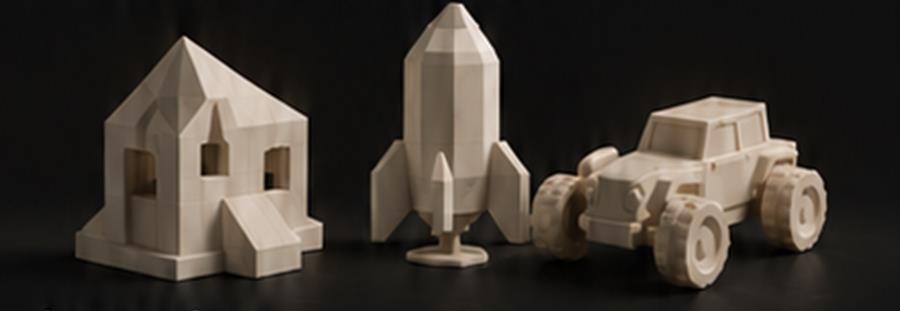
From the very first lesson your child builds something of their own — no lecture-watching. Every project ends with something you can show: a 3D print on the desk, a working program, their own robot.
Click to flipTap to flip
How does the Project work in PMR?
A mentor is a “witness to growth”: they don’t lecture, they lead with questions. Your child reaches solutions on their own, so confidence grows — and when they get stuck, the mentor is right there, so learning never ends in giving up.
Click to flipTap to flip
How does the Mentor help?
After every project your child puts into words what they learned and what they’ll do better next time. We treat mistakes as data in the learning process, not failures — that’s how independence and the courage for harder challenges are built.
Click to flipTap to flip
Why is Reflection key?
If you choose the self-paced package, your child follows the instructions and works at their own pace. This option does not include sessions with a mentor.
With a mentor who reviews every project — or independently, with a package built around one topic.
 A · Monthly subscription
 B · Themed package
They’re the ones who turn your child’s dream projects into reality
An electronics engineer with over 12 years in IT. He has trained close to 200 students, including winners of prestigious competitions, and equipped 15+ schools under the Polish “Laboratories of the Future” programme. He specialises in combining 3D printing with other technologies.
Author of the Project – Mentor – Reflection methodology. Mentoring in Polish, English or German.
Find your mentorYou teach, inspire, create? See what being a Cybroskill mentor looks like and apply.
Become a mentorFour Cybroskill students stood on the podium of the competition run by UMCS in Lublin. These weren’t lucky shots — they’re the result of regular work through the project method. Get to know their stories.
younger category
He designed a full set of chess pieces in Tinkercad — pairing his hobby with a new tool. In class, what he looked forward to most were the fun facts about what else 3D printing can be used for.
older category
Karol’s older brother. His „Lampka litofanowa — moja mała ojczyzna" (a lithophane lamp — ‘my little homeland’), designed in DesignSpark Mechanical, is a glowing lamp with lithophanes of his home town. He quickly moved beyond the standard path and pursued his own ideas with his mentor’s guidance — exactly how the PMR method works.
younger category
He started without his own computer at home — he lacked practice even with using a mouse. In his very first session he designed his first keychain and was hooked. Six months later he stood on the podium of the national 3D Edu Art competition.
older category
Awarded for a character from the game Brawl Stars. Off the record, the founder’s younger brother — and proof that in this family, 3D printing runs in the blood.
Nearly 200 students in regular classes, plus hundreds more at school workshops.
Minecraft® is a registered trademark of Mojang Studios / Microsoft, and Brawl Stars® of Supercell. Cybroskill classes are our own original programme, inspired by these games; they are not an official product and are not endorsed or sponsored by these companies.
We know the equipment children learn on at school — under the Polish “Laboratories of the Future” programme we equipped school labs with 3D printers, VR headsets, 3D scanners, microcontrollers and programmable building blocks.
You don’t need to buy a 3D printer. You can choose to have your child’s projects printed and delivered to your home. On the monthly plan we print the four projects and ship them together; shipping costs are paid by the customer.
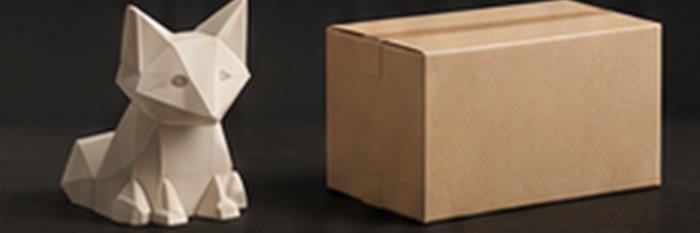
From first curiosity to a model you can hold in your hand.
Fill in the short PathFinder survey.
Launch PathFinderWork with a 1-on-1 mentor or independently with a package.
Or start with a starter lesson if you’d like to try it first.
Receive the printed models by courier or send them to your own printer.
If your question isn’t here — write to us.
The offer is designed for children from age 8, mainly aged 8–15. To start, your child should be comfortable using a mouse. We match the project level to the student’s skills.
You don’t need your own 3D printer. We start with a computer with internet access and Tinkercad, which runs in the browser. Printing the project is available as an option.
You don’t need to know 3D design or teach the lessons. A parent’s help may be useful when connecting to the first session. In mentoring your child works with the mentor; with the self-paced package they follow instructions matched to their level.
Mentoring means four projects a month and two 1-on-1 sessions (2 × 30 min or 2 × 60 min). The self-paced package contains four project scenarios around one topic and does not include mentor sessions. Choose mentoring if you want individual feedback on your child’s work; the package if your child wants to work with instructions at their own pace.
Yes — mentoring is planned in Polish, English and German. The PDF instructions are available in these three languages. Videos are currently in Polish, and screenshots in the translated PDFs show the Polish interface.
The community runs on Discord, supervised by moderators and mentors. The Cybroskillers Discord is for students aged 13+.
Learning doesn’t stop when the mentoring lesson ends. Cybroskillers is where your child’s projects get an audience.
On the “Cybroskillers” server students show off their projects, help each other and enter competitions (e.g. 3D Edu Art). All of it moderated by mentors and moderators.
A new project challenge every month — we print the winning project and ship it to its author.
Join us on Discord
Articles on 3D printing, design and project-based learning — for parents and students. More articles are on the way.
Read the blog
A roundup of news from 3D printing, technology and education — selected for practical use.
Issue archive